March 19, 2026
Apple HomePod: Buy Cryptocurrency App Easily
By Alex Carter, Apple & Crypto Analyst at AppleCryptos · Last updated March 19, 2026
Why Apple HomePod Is Becoming a Crypto User’s Best Friend
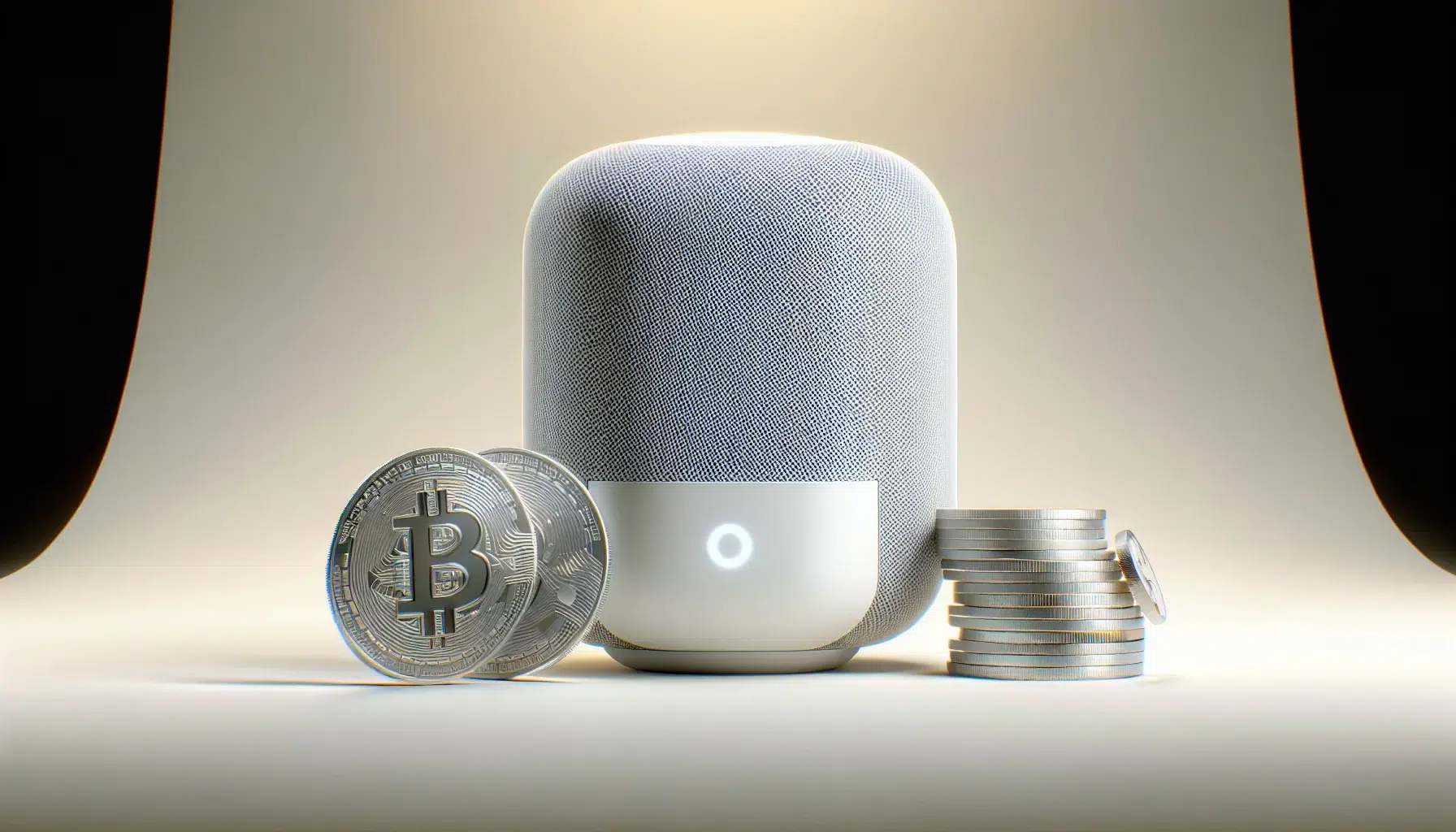
The Apple HomePod has quietly transformed from a premium wireless speaker into one of the most capable smart home hubs on the market. Running on Apple’s S9 chip — the same silicon architecture found in Apple Watch Series 9 — the second-generation HomePod brings genuine computational power to your living room or desk. For cryptocurrency users embedded in the Apple ecosystem, that power translates into a surprisingly capable hands-free companion for monitoring markets, tracking portfolios, and staying informed without touching a screen.
In 2026, the overlap between Apple device users and cryptocurrency holders is substantial. A 2025 survey by Morning Consult found that iPhone owners are approximately 1.8 times more likely to hold cryptocurrency than the general smartphone-owning population. Apple users are disproportionately tech-forward, financially engaged, and already accustomed to using Siri for everyday tasks — which makes the HomePod a natural extension of the crypto workflow they’ve built around their iPhone and Mac.
This guide explores the real, practical ways HomePod integrates with cryptocurrency apps, how to configure it for maximum utility, which apps deliver the best experience, how Apple’s security architecture protects your crypto activity, and how AppleCryptos.com lets you close the loop by spending your Bitcoin gains directly on Apple hardware. Whether you’re a casual holder checking prices over morning coffee or an active trader who wants ambient market awareness throughout the day, there’s a HomePod setup that works for you.
What the Apple HomePod Actually Does with Cryptocurrency Apps
Setting accurate expectations upfront matters here. The Apple HomePod cryptocurrency app experience is not about executing trades by voice or storing Bitcoin wallets on your speaker. HomePod is a voice-first interface and a smart home hub — it doesn’t run iOS apps directly or connect to exchanges on its own. What it does do is serve as a powerful voice gateway into the cryptocurrency apps that live on your iPhone and iPad, extending their capabilities into your physical environment in genuinely useful ways.
The most immediate capability is real-time price lookups via Siri. Ask “Hey Siri, what is Bitcoin worth right now?” and HomePod pulls live pricing data and reads it back instantly. This works for hundreds of cryptocurrencies by name — Bitcoin, Ethereum, Solana, Cardano, Dogecoin, and more. Apple sources this data through its financial data partnerships, and because Siri on HomePod shares the same intelligence engine as iPhone Siri, the responses are consistent, accurate, and fast.
Beyond basic price checks, HomePod gains dramatically expanded crypto functionality through Siri Shortcuts — Apple’s automation framework that lets you build custom voice commands tied to specific in-app actions. If your crypto app of choice supports Shortcuts (and the best ones do), you can create personalized commands like “Hey Siri, how is my portfolio doing?” that trigger a spoken summary of your holdings, 24-hour gains and losses, and total portfolio value — all delivered through HomePod’s room-filling audio. The setup takes about ten minutes and requires no coding knowledge whatsoever.
Real-World Use Case: Delta Portfolio Tracker users can configure a Shortcut that reads their entire multi-exchange portfolio summary aloud through HomePod each morning. Bitcoin balance, ETH performance, altcoin movement — all spoken in sequence before you’ve even picked up your phone. It’s a genuinely different way to start your trading day.
The Best Cryptocurrency Apps Compatible with Apple HomePod
Not all crypto apps integrate equally well with the HomePod ecosystem. The platforms that deliver the richest experience are those built with deep iOS-native architecture — specifically, Siri Shortcuts support, robust push notification delivery, and Apple Watch companion apps that share data with the same ecosystem HomePod taps into. Here are the standout options for 2026.
Coinbase is the most comprehensively integrated major exchange in the Apple ecosystem. The iOS app supports Siri Shortcuts for account queries, delivers price alert push notifications that HomePod can announce aloud, and integrates with Apple Pay for on-ramp funding. Coinbase’s notification system is configurable with precision — set an alert for when Bitcoin crosses $100,000 and HomePod will announce it the moment it triggers, whether you’re in the kitchen or on the couch. The app holds a 4.8-star rating on the App Store with over 1.2 million reviews, reflecting its polished iOS design.
Kraken offers similarly strong iOS integration with the added advantage of supporting over 200 cryptocurrencies across more than 650 trading pairs. For users with diverse portfolios that include mid-cap and smaller-cap assets, Kraken’s notification breadth covers coins Coinbase doesn’t list. The Kraken iOS app’s price alert system is granular — set both upper and lower bounds for any asset — and all alerts deliver through HomePod’s announce notifications feature when your iPhone is on the same network.
Delta Portfolio Tracker is arguably the single most HomePod-optimized crypto application available in 2026. As a dedicated portfolio aggregator rather than an exchange, Delta pulls data from Coinbase, Kraken, Binance, and over 300 other platforms simultaneously, giving you a unified view of all holdings regardless of where they’re held. Its Siri Shortcuts library is the most extensive of any crypto app on iOS, with pre-built actions for total portfolio value, individual asset performance, percentage gain since purchase, and 7-day trend summaries. Delta is the go-to recommendation for any HomePod user who wants the richest voice-driven portfolio experience.
- Coinbase: Best all-in-one exchange — Apple Pay, Face ID, Shortcuts, price alerts via HomePod announce
- Kraken: Best for diverse portfolios — 200+ assets, precise alert thresholds, strong iOS notification delivery
- Binance: Best for global users and volume traders — extensive asset support, iOS push alerts
- Delta Portfolio Tracker: Best for Siri Shortcuts depth — multi-exchange aggregation, richest HomePod voice commands
- CoinStats: Best for DeFi + CeFi combined — 100+ wallet integrations, iOS widget and Shortcuts support
- Blockfolio (FTX rebranded): Lightweight price tracking with reliable notification delivery through HomePod
Step-by-Step: Setting Up HomePod for Crypto Portfolio Monitoring
Getting your HomePod configured as a crypto monitoring tool is a straightforward process that any iPhone user can complete in under fifteen minutes. The entire setup happens within apps you likely already have installed — no additional hardware, no developer accounts, no technical expertise required.
Step 1 — Install and configure your crypto app. Download Coinbase, Kraken, Delta, or your preferred platform from the App Store. Complete account setup and any required identity verification for exchange apps. For portfolio trackers like Delta, connect your exchange accounts via read-only API keys — these give the app visibility into your holdings without granting any ability to trade or withdraw funds.
Step 2 — Configure price and portfolio alerts. Inside your crypto app, navigate to the alerts or notifications section and set up the triggers that matter most to you. Good starting points include a Bitcoin price alert at your personal target levels, a portfolio daily summary notification set to deliver each morning, and percentage-move alerts (e.g., notify when any held asset moves more than 5% in either direction). Enable notifications for the app in iPhone Settings to ensure they actually deliver.
Step 3 — Build your Siri Shortcuts. Open the Shortcuts app on your iPhone, tap the + icon to create a new shortcut, and browse available actions from your crypto app. In Delta, add a “Get Portfolio Value” action followed by a “Speak Text” action to have the result read aloud. Assign a trigger phrase like “crypto check” or “portfolio update.” Test it by saying “Hey Siri, crypto check” — HomePod should respond with your current portfolio value spoken aloud.
Step 4 — Enable HomePod Announce Notifications. Open the Home app on your iPhone, long-press your HomePod tile, tap the gear icon for settings, scroll to Announce Notifications, and toggle it on. Select the specific apps you want HomePod to announce — add your crypto apps here. From this point forward, any notification from those apps will be spoken aloud by HomePod when you’re home, keeping you passively informed without screen interaction.
Step 5 — Create time-based automations. In the Shortcuts app, go to the Automation tab and create a new Personal Automation. Set a trigger time — 8:00 AM is popular for a morning briefing — and add your portfolio Shortcut as the action. HomePod will automatically deliver your crypto morning briefing at the same time every day, building a reliable information ritual into your daily routine.
Advanced Setup: Combine your crypto Shortcut with a HomeKit scene. Create an automation that runs your portfolio briefing Shortcut AND triggers a “Good Morning” scene that gradually raises your smart lights to full brightness. Your day starts with both a spoken portfolio update and a perfectly lit environment — all triggered by a single scheduled automation at the time you choose.
Apple HomePod Security: Why It Matters for Cryptocurrency Users
Security is the non-negotiable foundation of any crypto workflow, and understanding how HomePod handles sensitive data is essential before integrating it into your financial routine. The good news is that Apple’s security architecture is among the strongest in consumer electronics, and the HomePod specifically has been designed with privacy as a core principle rather than an afterthought.
The HomePod’s S9 chip includes a dedicated Secure Enclave — Apple’s isolated security coprocessor that handles encrypted data operations separately from the main processor. This is the same fundamental architecture that protects Face ID biometric data and Apple Pay credentials on iPhone. While HomePod doesn’t store crypto credentials directly, the Secure Enclave ensures that any sensitive operations tied to HomeKit automations or Siri Shortcuts run in a protected environment that is architecturally isolated from potential software vulnerabilities.
Critically, HomePod never authenticates financial transactions independently. When a Siri Shortcuts automation retrieves your portfolio data from a connected exchange, it uses read-only API credentials stored securely on your iPhone — not on the HomePod itself. Any action that involves funds movement, trading, or withdrawal requires direct confirmation on your iPhone using Face ID or Touch ID. This design means that even if someone compromised your HomePod voice commands, they could not access, move, or steal your cryptocurrency without physical possession of your unlocked iPhone.
Apple’s approach to Siri data processing has evolved significantly in recent years. The majority of Siri requests are now processed on-device using the Neural Engine within the S9 chip, meaning your voice commands about Bitcoin prices or portfolio values don’t necessarily leave your home network at all. For the requests that do involve server-side processing, Apple applies differential privacy techniques and processes audio with minimal data retention. This is a meaningfully different privacy posture than competitors who process more voice data through centralized cloud infrastructure.
- HomePod S9 chip includes Secure Enclave — same architecture as iPhone’s financial security layer
- Crypto credentials are stored on iPhone, not on HomePod — speaker has no direct exchange access
- Financial transactions always require iPhone biometric confirmation — voice alone cannot move funds
- On-device Neural Engine processing handles increasing share of Siri commands without server round-trips
- Siri audio processed with minimal data retention and differential privacy protections
- End-to-end encrypted communication between HomePod and iPhone on your local network
Using HomePod to Build a Crypto-Aware Smart Home Environment
The most creative HomePod crypto setups in 2026 go well beyond morning briefings and price checks. With HomeKit Automations, Shortcuts, and third-party smart home integrations, HomePod can orchestrate an entire ambient market awareness environment — a home that subtly keeps you informed about your crypto portfolio without demanding your constant attention.
Consider the practical scenario of a Bitcoin position you’ve been watching closely. You set a Shortcut automation that checks Bitcoin’s price every two hours using a background refresh trigger. When the price crosses your alert threshold in either direction, HomePod chimes softly and announces the movement. Simultaneously, a HomeKit scene changes your smart lights to green for a significant upward move or amber for a meaningful dip — giving you an instant visual signal even if you’re in the middle of a conversation or video call and didn’t catch the audio announcement.
HomePod’s Intercom feature adds another dimension for households where multiple people follow crypto markets. If you and a partner both track different crypto positions, HomePod can broadcast personalized alerts to different rooms — your Bitcoin alert goes to the home office HomePod mini, their Ethereum alert plays in the kitchen. This is the kind of ambient, contextual information delivery that no phone app can match for pure lifestyle integration.
The HomePod also works as the hub for Thread-enabled smart home devices — a low-latency, mesh networking protocol for connected home devices. As more smart displays, status panels, and connected screens adopt Thread, the HomePod’s role as the orchestration center for crypto-informed home environments will only expand. The foundation being built today is the infrastructure for far richer integrations in the years ahead.
Buy Apple Products with Crypto: The AppleCryptos Connection
For Apple users who’ve been tracking growing crypto holdings through HomePod all year, there’s a satisfying way to realize that value — spending it directly on Apple hardware without ever touching a bank. The ability to buy Apple products with Bitcoin isn’t theoretical or complicated in 2026; it’s a straightforward checkout experience available right now at AppleCryptos.com.
AppleCryptos stocks the complete range of Apple products: the full iPhone 17 lineup, MacBook Pro and MacBook Air with M4 chips, iPad Pro and iPad Air, Apple Watch Ultra and Series 10, AirPods Pro 3, Apple TV 4K, and the HomePod and HomePod mini. Every product is available for direct purchase using Bitcoin, Ethereum, Litecoin, Monero, Solana, Dogecoin, Tether, USD Coin, and over 50 other cryptocurrencies. Prices update in real time to reflect current exchange rates, so you always pay a fair market equivalent.
The checkout process is built for the privacy that crypto users value. No account registration is required — browse, select, enter a shipping address, choose your cryptocurrency, and confirm the on-chain payment. Orders are processed automatically upon confirmation and shipped worldwide with full tracking. For anyone who has used HomePod to diligently monitor a Bitcoin or altcoin position over months, AppleCryptos provides the most direct and friction-free path from those accumulated gains to the Apple gear at the top of your wish list.
The Full Circle: Monitor your crypto gains hands-free through HomePod. When the time is right, visit AppleCryptos.com and spend a portion of those gains on Apple hardware — paid in Bitcoin, shipped worldwide, no bank required. Your HomePod helped you get there; now it can help you decide when to enjoy the reward.
HomePod vs. Competitors: Which Smart Speaker Wins for Crypto Users?
If you’re evaluating smart speakers with cryptocurrency use in mind, the comparison between Apple HomePod, Amazon Echo, and Google Nest Audio reveals meaningful differences in how each platform approaches financial data, app integration, and privacy — all of which matter for crypto workflows.
Amazon Echo with Alexa supports a broad library of third-party skills, including several crypto price-checking skills from exchanges and data providers. However, Alexa’s integration model is fundamentally different from HomePod’s Shortcuts approach — skills are more limited in scope, portfolio aggregation capabilities are weaker, and the data pipeline routes more information through Amazon’s cloud infrastructure. For privacy-conscious crypto users, this is a notable distinction.
Google Nest Audio excels at natural language understanding — Google Assistant’s conversational ability to parse complex crypto queries is arguably stronger than Siri’s in edge cases. But Google Nest Audio’s integration with iOS crypto apps is inherently limited by the Android-first nature of Google’s ecosystem. Users with their portfolios in iOS apps like Delta or Coinbase will find Nest Audio lacks the Shortcuts-based bridge that makes HomePod so effective for Apple ecosystem users specifically.
- Apple HomePod: Best iOS app integration, deepest Shortcuts automation, Secure Enclave security, premium spatial audio — ideal for iPhone/Mac users
- Amazon Echo: Wide skill library, good for basic price queries, less portfolio depth, more cloud-dependent data handling
- Google Nest Audio: Superior natural language parsing, limited iOS crypto app bridge, Android-ecosystem advantage doesn’t transfer to iPhone users
The conclusion for any Apple device user is straightforward: HomePod is not just the best-sounding smart speaker in this comparison — it is the only one built on the same foundational ecosystem as the crypto apps you’re already using. The others require accepting friction that simply doesn’t exist in the Apple-to-Apple workflow HomePod enables.
Frequently Asked Questions About Apple HomePod and Cryptocurrency Apps
Can HomePod execute cryptocurrency trades or purchases using voice commands?
No — and this is by design. HomePod functions as a voice interface and smart home hub; it doesn’t independently connect to exchanges or authorize financial transactions. All trading actions require direct confirmation on your iPhone using Face ID or Touch ID. HomePod can trigger Siri Shortcuts that retrieve portfolio data and price information, but any action that involves moving, buying, or selling cryptocurrency always requires your physical biometric authentication on your iPhone. This security model protects your funds from voice-based exploitation.
What is the best cryptocurrency app to use with Apple HomePod for portfolio tracking?
Delta Portfolio Tracker is the top recommendation for HomePod-centric crypto monitoring. It aggregates holdings across 300+ exchanges and wallets into a single unified view, offers the most extensive Siri Shortcuts action library of any crypto app on iOS, and delivers granular push notifications that HomePod can announce aloud. For users who primarily use a single exchange, Coinbase offers the deepest end-to-end integration within the Apple ecosystem including Apple Pay, Face ID, and reliable Shortcuts support.
How do I make HomePod announce crypto price alerts automatically?
Set up price alerts within your crypto app (Coinbase, Kraken, and Delta all support this), enable notifications for the app in iPhone Settings, then open the Home app on your iPhone, select your HomePod, go to Settings, and enable Announce Notifications. Add your crypto app to the announcement list. When an alert fires and your iPhone is on the same Wi-Fi network as your HomePod, the speaker will chime and read the notification aloud — no screen interaction required. This works for any notification type your crypto app sends, including price thresholds, daily portfolio summaries, and large market move warnings.
Does using HomePod for crypto monitoring put my financial data at risk?
The risk profile is low when used correctly. HomePod does not store your exchange credentials, wallet private keys, or API keys — all sensitive data remains on your iPhone within its Secure Enclave. Siri processes most commands using on-device computation, minimizing external data exposure. The most important rule is to never speak sensitive information — seed phrases, private keys, passwords — aloud near any voice assistant. For portfolio monitoring, price checks, and notification delivery, HomePod’s security architecture is well-suited to the task.
Can I buy a HomePod using Bitcoin or other cryptocurrencies?
Yes. AppleCryptos.com sells both the HomePod (2nd generation, priced at $299) and the HomePod mini ($99), available for direct purchase using Bitcoin, Ethereum, Litecoin, Monero, Dogecoin, Solana, Tether, and over 50 additional cryptocurrencies. No account creation is required, checkout is completed on-chain at real-time exchange rates, and worldwide shipping with tracking is included on every order. It’s a fitting way to expand your Apple smart home setup using the digital assets you’ve been accumulating.
Related Articles
Ready to buy Apple with crypto?
Shop genuine, sealed Apple products and pay privately with Bitcoin, USDT and 20+ coins.
Browse products