Blog

Does Apple Pay Buy Crypto? Complete 2026 Guide

applecryptos does apple pay buy crypto 20260213 002829

Does Apple Pay Buy Crypto? Complete 2026 Guide

By Alex Carter, Apple & Crypto Analyst at AppleCryptos

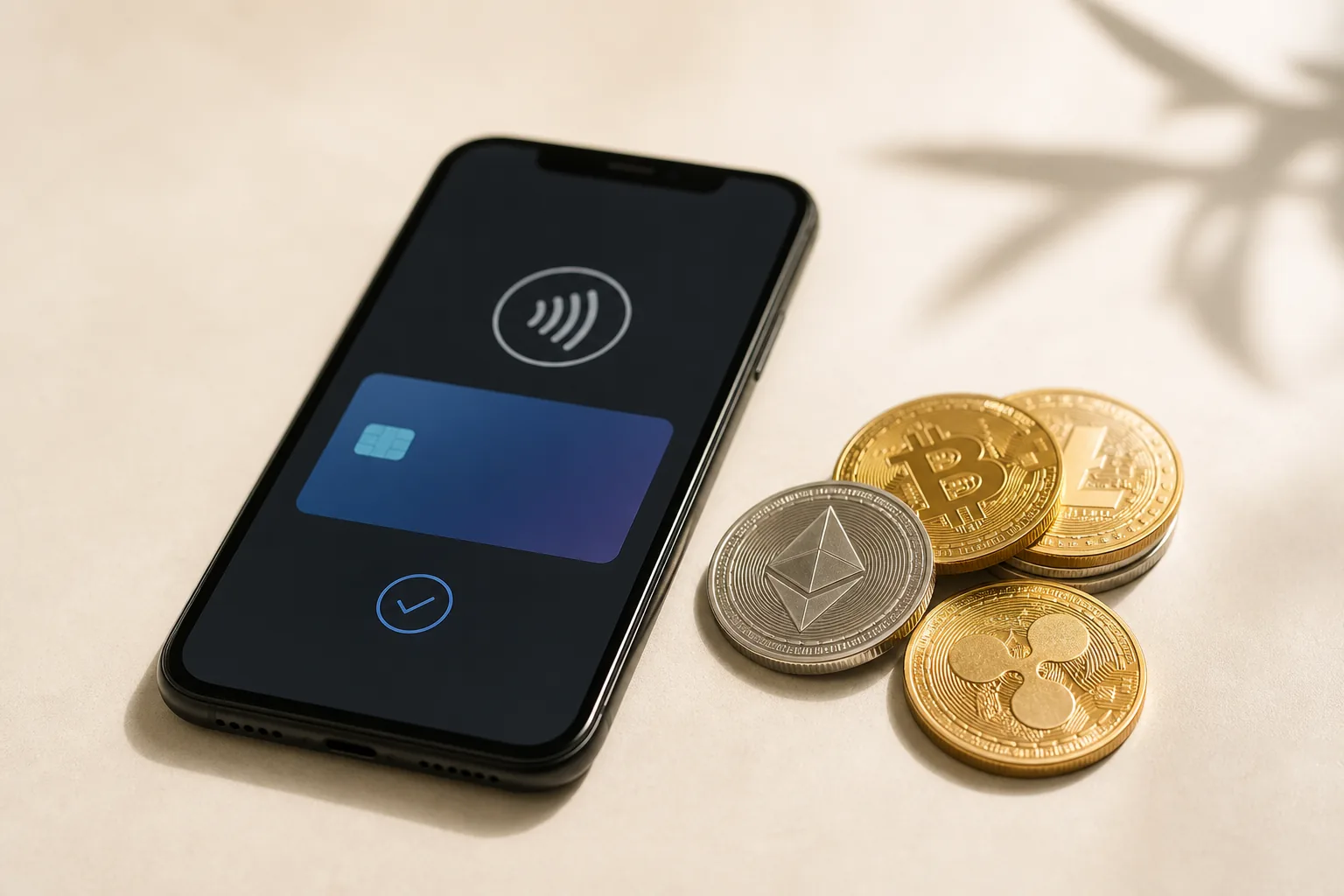
No, Apple Pay does not directly buy cryptocurrency as of February 2026. However, you can use Apple Pay to fund accounts on major cryptocurrency exchanges like Coinbase, Kraken, and Cash App, which then allow Bitcoin, Ethereum, and altcoin purchases. This indirect method enables iPhone and Apple Watch users to leverage Apple’s payment system for cryptocurrency acquisition while maintaining Apple Pay’s security and convenience features.

Put simply: Apple Pay cannot purchase cryptocurrency directly, but it functions as a payment method to add funds to cryptocurrency exchange accounts. Once your exchange account is funded via Apple Pay, you can buy Bitcoin, Ethereum, Solana, and other cryptocurrencies. This two-step process—fund exchange wallet with Apple Pay, then buy crypto—provides iPhone users a streamlined path to cryptocurrency ownership through Apple’s ecosystem.

Can You Use Apple Pay to Buy Cryptocurrency?

Apple Pay works indirectly for cryptocurrency purchases by funding exchange accounts that subsequently enable crypto buying. Major platforms including Coinbase, Cash App, and Gemini accept Apple Pay for account deposits. After funding your account with Apple Pay, you navigate to the cryptocurrency trading section and purchase your desired digital assets using the deposited balance.

This indirect approach exists because Apple maintains strict App Store guidelines regarding cryptocurrency transactions. Apps cannot facilitate direct cryptocurrency purchases through in-app payment systems including Apple Pay. However, exchanges circumvent this by treating Apple Pay as a funding method for USD balances, not direct crypto purchases, technically complying with Apple’s policies.

Supported Cryptocurrency Exchanges

Coinbase, the largest U.S. cryptocurrency exchange, accepts Apple Pay for instant account funding up to $1,000 per transaction. Cash App enables Apple Pay deposits that can immediately purchase Bitcoin, the only cryptocurrency Cash App supports. Gemini and Kraken allow Apple Pay funding in select regions, though availability varies by country and payment processor agreements.

The process typically completes within seconds: select Apple Pay as your funding method, authenticate with Face ID or Touch ID, and funds appear in your exchange account instantly. This speed advantage over bank transfers (3-5 business days) or wire transfers (1-2 days) makes Apple Pay attractive for cryptocurrency buyers seeking immediate market access.

Limitations and Restrictions

Apple Pay cryptocurrency funding faces transaction limits ranging from $100-$1,000 per purchase depending on the exchange and your account verification level. Daily limits typically cap at $2,000-$5,000 across all transactions. These restrictions prevent large-scale cryptocurrency purchases, though they suffice for dollar-cost averaging strategies and moderate investments.

Geographic availability varies significantly, with U.S., U.K., and Canadian users enjoying broadest access. European users face inconsistent support due to regional banking regulations and payment processor restrictions. Asian markets generally lack Apple Pay cryptocurrency funding options, requiring alternative payment methods like bank transfers or debit cards.

The key takeaway is: Apple Pay enables indirect cryptocurrency purchases by funding exchange accounts on platforms like Coinbase and Cash App, with instant transfers supporting purchases up to $1,000 per transaction, though direct crypto buying through Apple Pay remains impossible due to App Store policy restrictions on in-app cryptocurrency transactions.

Why Doesn’t Apple Pay Directly Support Crypto Purchases?

Apple avoids direct cryptocurrency integration due to regulatory uncertainty, volatility concerns, and strategic focus on traditional payments. The company maintains conservative approaches to financial products, prioritizing regulatory compliance and consumer protection over cutting-edge cryptocurrency features. This cautious strategy protects Apple from potential legal liabilities as global cryptocurrency regulations continue evolving.

Additionally, cryptocurrency volatility conflicts with Apple’s brand identity emphasizing stability and reliability. Integrating volatile assets directly into Apple Pay could expose the company to customer complaints about losses, technical support burdens from blockchain transaction issues, and reputational risks if users lose funds through scams or hacks facilitated by Apple’s platform.

Regulatory and Compliance Challenges

Cryptocurrency regulations vary dramatically across jurisdictions where Apple operates, creating compliance complexity. Enabling direct crypto purchases through Apple Pay would require navigating money transmitter licenses, securities regulations, and anti-money laundering requirements in 175+ countries. This regulatory burden exceeds the potential revenue from cryptocurrency transaction fees.

The SEC’s evolving cryptocurrency classification framework, particularly around whether certain tokens constitute securities, creates additional uncertainty. Apple avoids this regulatory minefield by maintaining separation between its payment systems and cryptocurrency markets, letting specialized exchanges handle compliance while Apple focuses on payment infrastructure.

Strategic Business Considerations

Apple generates revenue through Apple Pay transaction fees from merchants (approximately 0.15% per transaction). Cryptocurrency purchases wouldn’t provide similar merchant fees since users trade with exchanges, not purchase goods from retailers. This reduced revenue potential combined with increased support costs makes direct cryptocurrency integration financially unattractive.

The company’s payment strategy emphasizes partnership with traditional financial institutions—banks, credit card networks, and payment processors. Adding cryptocurrency could alienate these partners who view digital assets as competitive threats. Maintaining these relationships provides more strategic value than cryptocurrency integration given traditional payments’ significantly larger transaction volumes.

In summary: Apple Pay doesn’t directly support crypto purchases due to complex multi-jurisdictional regulations requiring money transmitter licenses, cryptocurrency’s volatility conflicting with Apple’s stability-focused brand, limited revenue potential from exchange transactions versus merchant fees, and strategic importance of traditional financial institution partnerships over cryptocurrency integration.

Factor Challenge for Apple Current Approach
Regulatory Compliance 175+ jurisdictions with different rules Let exchanges handle compliance
Volatility Risk Customer complaints about losses Maintain separation from crypto markets
Revenue Model Low transaction fees from exchanges Focus on merchant payment fees
Partner Relations Banks view crypto as competitive threat Prioritize traditional finance partnerships
Support Burden Blockchain issues, lost funds, scams Avoid direct cryptocurrency involvement

What Are the Best Ways to Buy Crypto with Apple Devices?

iPhone and Mac users access cryptocurrency through dedicated exchange apps, web platforms, and Apple Pay-enabled services. The Coinbase iOS app provides the most streamlined experience, accepting Apple Pay for instant funding followed by cryptocurrency purchases. Cash App offers the simplest interface for Bitcoin-only purchases, popular among users seeking basic cryptocurrency exposure without complex trading features.

For users researching which crypto will boom in 2026, mobile-first platforms optimize for iPhone’s interface with Face ID authentication, widgets showing price alerts, and Apple Watch complications displaying portfolio values. These Apple ecosystem integrations create seamless cryptocurrency experiences despite Apple Pay’s indirect purchase limitations.

Exchange App Recommendations

Coinbase’s iOS app features Apple Pay funding, advanced trading tools, and support for 200+ cryptocurrencies including Bitcoin, Ethereum, and emerging altcoins. The app receives regular updates optimized for latest iPhone models, supporting Dark Mode, widgets, and Shortcuts automation. Educational resources within the app help newcomers understand cryptocurrency fundamentals before investing.

Kraken and Gemini offer professional-grade trading on iOS with lower fees than Coinbase for frequent traders. Kraken supports 50+ cryptocurrencies with advanced charting tools, while Gemini emphasizes security and regulatory compliance appealing to conservative investors. Both accept Apple Pay funding in supported regions, though availability varies.

Alternative Purchase Methods

Beyond Apple Pay funding, iPhone users can purchase cryptocurrency through debit cards linked to Apple Wallet, bank transfers via banking apps, or direct Bitcoin purchases from peer-to-peer platforms. Debit card purchases complete instantly but incur higher fees (1.5-3%) versus bank transfers (free but 3-5 day waits).

For those interested in practical cryptocurrency usage, platforms like AppleCryptos.com enable direct Apple product purchases using Bitcoin and 50+ cryptocurrencies. This approach bypasses traditional fiat purchases entirely, allowing users to buy MacBooks with Bitcoin crypto directly without Apple Pay involvement.

Here’s the bottom line: The best ways to buy crypto with Apple devices include using Coinbase or Cash App with Apple Pay funding for instant deposits, downloading iOS-optimized exchange apps with Face ID authentication and Apple Watch integration, or utilizing debit cards from Apple Wallet for direct purchases despite higher 1.5-3% fees.

How Do You Set Up Apple Pay for Crypto Exchange Funding?

Setting up Apple Pay for cryptocurrency exchange funding requires adding a debit or credit card to Apple Wallet, creating an exchange account, and linking Apple Pay as a payment method. The process takes 5-10 minutes including identity verification required by cryptocurrency exchanges. Once configured, future purchases complete in seconds through Face ID or Touch ID authentication.

Most exchanges verify your identity through KYC (Know Your Customer) requirements before enabling Apple Pay funding. This verification involves submitting government-issued ID, proof of address, and sometimes a selfie for facial recognition matching. Verification typically completes within 24 hours, though some exchanges offer instant verification for U.S. citizens.

Step-by-Step Setup Process

  1. Open Wallet app on iPhone and tap the “+” icon to add your debit or credit card.
  2. Follow prompts to verify your card through bank SMS or email confirmation.
  3. Download your preferred cryptocurrency exchange app (Coinbase, Cash App, Gemini) from App Store.
  4. Create an exchange account using your email, phone number, and secure password.
  5. Complete identity verification by submitting driver’s license or passport photos.
  6. Navigate to account funding or deposit section within the exchange app.
  7. Select Apple Pay as your payment method from available funding options.
  8. Enter desired deposit amount (typically $100-$1,000 limits per transaction).
  9. Authenticate with Face ID or Touch ID to complete the instant deposit.
  10. Navigate to cryptocurrency trading section and purchase desired coins with deposited funds.

Security and Best Practices

Enable two-factor authentication (2FA) on your exchange account using authenticator apps rather than SMS for enhanced security. Apple’s Face ID provides biometric authentication for Apple Pay transactions, adding another security layer beyond passwords. Never share your exchange login credentials or 2FA codes with anyone claiming to be customer support.

Start with small test transactions ($25-50) to verify the funding process works correctly before larger deposits. This practice helps identify any issues with Apple Pay connectivity, card verification, or account limits without risking substantial funds. Monitor your bank statements for unauthorized charges, as cryptocurrency scams occasionally exploit payment system vulnerabilities.

Troubleshooting Common Issues

If Apple Pay funding fails, verify your card supports cryptocurrency transactions (some banks block crypto purchases). Contact your bank to enable cryptocurrency transactions, as many financial institutions restrict these purchases by default for fraud prevention. Try alternative payment methods like debit cards or bank transfers if Apple Pay consistently fails.

Account limits may prevent large Apple Pay deposits, requiring identity verification upgrades or waiting periods for new accounts. Most exchanges implement tiered limits: basic accounts allow $1,000 daily, intermediate verification enables $5,000, and full verification permits $25,000+ transactions. Understanding current market values helps plan purchases, such as knowing how much $1000 Bitcoin equals in US dollars today.

Put simply: Set up Apple Pay for crypto funding by adding cards to Apple Wallet, creating verified exchange accounts with KYC documentation, selecting Apple Pay in deposit sections, authenticating with Face ID, and starting with small test transactions before larger purchases while enabling 2FA for security.

What Cryptocurrencies Can You Buy Using Apple Pay?

Apple Pay funding enables purchases of all cryptocurrencies supported by your chosen exchange, typically including Bitcoin, Ethereum, Litecoin, and dozens of altcoins. Coinbase offers 200+ cryptocurrencies accessible after Apple Pay deposits, while Cash App limits users to Bitcoin only. The specific cryptocurrencies available depend entirely on exchange selection, not Apple Pay capabilities.

Major cryptocurrencies universally available include Bitcoin (BTC), Ethereum (ETH), Litecoin (LTC), Bitcoin Cash (BCH), and stablecoins like USDC and Tether (USDT). Mid-cap altcoins such as Solana (SOL), Cardano (ADA), Polygon (MATIC), and Chainlink (LINK) appear on most platforms. Smaller tokens and new launches may require specialized exchanges beyond basic Apple Pay-supporting platforms.

Bitcoin and Major Cryptocurrencies

Bitcoin remains the most accessible cryptocurrency through Apple Pay-funded exchanges, available on every platform supporting cryptocurrency trading. At February 2026 prices around $120,000 per BTC, Apple Pay’s $1,000 transaction limits mean purchasing approximately 0.00833 BTC per deposit. Multiple deposits enable larger Bitcoin accumulation, though daily limits cap total purchases.

Ethereum trading at approximately $4,200 in February 2026 allows roughly 0.238 ETH purchases per $1,000 Apple Pay deposit. For investors researching how much 1 Ethereum will be worth in 2026, Apple Pay provides accessible entry into ETH markets. Both Bitcoin and Ethereum offer liquid markets with tight spreads, ensuring fair pricing regardless of funding method.

Altcoins and Emerging Tokens

Exchanges accepting Apple Pay typically support popular altcoins including Solana ($185), Cardano ($0.65), Polygon ($1.80), and Avalanche ($35) at February 2026 prices. These mid-cap cryptocurrencies offer higher percentage gain potential than Bitcoin or Ethereum, though with increased volatility and risk. Apple Pay’s transaction limits affect how many tokens you acquire, with lower-priced coins enabling larger position sizes.

Newer tokens and DeFi projects often require transfers from major exchanges to decentralized exchanges (DEXs) like Uniswap. You can fund major exchanges with Apple Pay, purchase Ethereum, then transfer ETH to MetaMask wallet for DEX trading. This multi-step process enables access to thousands of tokens beyond centralized exchange listings.

Stablecoins and Practical Use

Stablecoins like USDC and USDT purchased with Apple Pay-funded accounts provide cryptocurrency exposure without volatility risk. These dollar-pegged tokens enable easy conversion back to USD when desired, functioning as cryptocurrency savings accounts earning yield through DeFi protocols. Stablecoins also facilitate quick cryptocurrency purchases when prices dip without waiting for bank transfer clearing.

For practical cryptocurrency usage beyond speculation, stablecoins and major cryptocurrencies enable purchases at platforms like AppleCryptos.com accepting 50+ digital currencies for Apple products. This direct commerce application demonstrates cryptocurrency utility beyond investment portfolios.

The key takeaway is: Apple Pay funding enables purchases of 200+ cryptocurrencies on exchanges like Coinbase including Bitcoin, Ethereum, Solana, and altcoins, with Cash App limiting to Bitcoin only, while stablecoins provide volatility-free exposure and all cryptocurrencies available depend on exchange selection rather than Apple Pay limitations.

Cryptocurrency Feb 2026 Price Amount per $1000 Availability
Bitcoin (BTC) $120,000 0.00833 BTC All exchanges
Ethereum (ETH) $4,200 0.238 ETH All exchanges
Solana (SOL) $185 5.41 SOL Most exchanges
Cardano (ADA) $0.65 1,538 ADA Most exchanges
Polygon (MATIC) $1.80 555 MATIC Most exchanges
USDC (stablecoin) $1.00 1,000 USDC All exchanges

What Are Alternative Methods to Apple Pay for Crypto?

Beyond Apple Pay, iPhone users can purchase cryptocurrency through bank transfers, debit cards, wire transfers, PayPal, and peer-to-peer platforms. Bank transfers offer the lowest fees (often free) but require 3-5 business days for clearing. Debit cards provide instant purchases with higher fees (1.5-3%), while wire transfers enable large purchases ($10,000+) for serious investors despite $25-50 wire fees.

PayPal and Venmo now support cryptocurrency purchases directly within their apps, though with limitations on withdrawing crypto to external wallets. These platforms suit users wanting cryptocurrency exposure without managing private keys or navigating exchange interfaces. However, the inability to transfer crypto off-platform limits utility for users wanting to spend coins on products or services.

Bank Transfer and ACH Payments

Bank transfers (ACH) provide the most cost-effective cryptocurrency funding method with zero fees on most exchanges. Link your bank account through micro-deposit verification (two small deposits you confirm amounts), then initiate transfers up to $25,000+ depending on verification level. The 3-5 day clearing period disadvantages users wanting immediate market access but suits dollar-cost averaging investors with planned purchase schedules.

Instant ACH functionality on select exchanges eliminates waiting periods for verified accounts, combining bank transfer’s low costs with Apple Pay’s speed. Coinbase offers instant ACH up to $50,000 for eligible accounts, though higher limits require progressive verification. This method provides the best combination of low fees and instant access for serious cryptocurrency investors.

Debit and Credit Card Purchases

Debit cards linked to Apple Wallet enable cryptocurrency purchases similar to Apple Pay but with broader exchange support. Cards work on platforms lacking Apple Pay integration while providing instant funding. However, 1.5-3% fees reduce your cryptocurrency amount: a $1,000 purchase yields only $970-985 in crypto after fees.

Credit card purchases face additional complications as most issuers classify cryptocurrency as cash advances, incurring 3-5% fees plus immediate interest charges without grace periods. This cost structure makes credit cards the most expensive cryptocurrency funding method, suitable only when immediate access outweighs 8-10% total costs from fees and interest.

Direct Purchase Platforms

For users prioritizing cryptocurrency spending over investment, platforms accepting fiat directly for Apple products eliminate exchange intermediaries entirely. AppleCryptos.com processes traditional payments while offering cryptocurrency checkout options, serving users wanting to buy Apple products with crypto without maintaining exchange accounts.

This direct-to-product approach particularly suits one-time cryptocurrency users who receive digital currency as gifts or payment but don’t want ongoing exchange relationships. Converting crypto directly to desired products avoids multiple steps of exchange funding, cryptocurrency purchase, and eventual spending.

In summary: Alternatives to Apple Pay for crypto include bank transfers with zero fees but 3-5 day waits, debit cards charging 1.5-3% for instant access, wire transfers for large purchases despite $25-50 fees, PayPal/Venmo for simple non-custodial exposure, and direct purchase platforms converting cryptocurrency to products without exchange intermediaries.

Frequently Asked Questions

Does Apple Pay buy crypto directly?

No, Apple Pay cannot purchase cryptocurrency directly. However, you can use Apple Pay to fund accounts on cryptocurrency exchanges like Coinbase, Cash App, and Gemini, which then enable Bitcoin, Ethereum, and altcoin purchases. This two-step process—fund exchange with Apple Pay, then buy crypto—provides iPhone users cryptocurrency access through Apple’s payment system.

Which crypto exchanges accept Apple Pay?

Coinbase, Cash App, and Gemini accept Apple Pay for account funding in the United States and select international markets. Kraken offers Apple Pay in certain regions with variable availability. After funding your exchange account via Apple Pay, you can purchase any cryptocurrency the platform supports, typically including Bitcoin, Ethereum, and 50-200+ altcoins.

What are the limits for buying crypto with Apple Pay?

Apple Pay cryptocurrency funding limits range from $100-$1,000 per transaction depending on the exchange and your verification level. Daily limits typically cap at $2,000-$5,000 across all transactions. These restrictions prevent large-scale purchases but suit dollar-cost averaging strategies and moderate investments for most users building cryptocurrency positions over time.

Can I use Apple Pay on my iPhone to buy Bitcoin?

Yes, you can use Apple Pay on iPhone to fund cryptocurrency exchange accounts that enable Bitcoin purchases. Download apps like Coinbase or Cash App, add funds using Apple Pay, then buy Bitcoin with your deposited balance. The process completes in minutes with Face ID authentication, providing seamless Bitcoin acquisition through Apple’s ecosystem.

Are there fees for using Apple Pay to buy cryptocurrency?

Apple Pay itself charges no fees, but cryptocurrency exchanges impose transaction fees ranging from 0.5-2% depending on platform and purchase method. Coinbase charges 1.5% for Apple Pay deposits, while Cash App adds no fees for Apple Pay funding but includes spreads in Bitcoin prices. Bank transfers offer lower fees than Apple Pay if speed isn’t critical.

Is it safe to use Apple Pay for crypto purchases?

Yes, Apple Pay provides secure cryptocurrency exchange funding through tokenization preventing card number exposure and biometric authentication via Face ID or Touch ID. However, cryptocurrency itself carries volatility risk and potential exchange hacks. Use reputable exchanges, enable two-factor authentication, and consider hardware wallets for long-term storage rather than keeping large amounts on exchanges.

Can I buy crypto on Apple Watch with Apple Pay?

While you can authenticate Apple Pay transactions from Apple Watch, most cryptocurrency exchanges lack dedicated watchOS apps requiring you to initiate purchases from iPhone. However, Apple Watch complications display cryptocurrency prices and portfolio values from apps like Coinbase, enabling quick monitoring even without direct purchasing capability from your wrist.

Why won’t my Apple Pay work on crypto exchanges?

Apple Pay failures on crypto exchanges typically stem from bank restrictions blocking cryptocurrency transactions, card verification issues, or account limits. Contact your bank to enable cryptocurrency purchases, verify your card is added correctly to Apple Wallet, and confirm your exchange account verification level supports Apple Pay funding. Try alternative cards if issues persist.

Conclusion

While Apple Pay does not directly buy cryptocurrency, it serves as an effective funding method for exchange accounts enabling Bitcoin, Ethereum, and altcoin purchases. The indirect approach—using Apple Pay to deposit funds on platforms like Coinbase and Cash App—provides iPhone users cryptocurrency access through familiar Apple ecosystem interfaces. This solution balances Apple’s conservative payment strategy with growing cryptocurrency demand among Apple device owners.

Understanding the limitations and alternatives helps maximize cryptocurrency acquisition efficiency. Apple Pay suits instant, moderate-sized purchases up to $1,000 per transaction, while bank transfers offer better rates for patient investors and debit cards provide broader exchange compatibility. The choice depends on individual priorities around speed, fees, and purchase amounts when building cryptocurrency portfolios.

For users seeking practical cryptocurrency applications beyond speculation, platforms like AppleCryptos.com demonstrate real-world utility by accepting 50+ cryptocurrencies for Apple products including MacBooks, iPhones, and accessories with anonymous checkout and worldwide shipping. Whether accumulating Bitcoin through Apple Pay-funded exchanges or spending cryptocurrency on technology purchases, the Apple ecosystem increasingly accommodates cryptocurrency users despite Apple Pay’s indirect purchase limitations. As cryptocurrency integration with mainstream technology continues evolving through 2026, understanding these workarounds positions Apple users to participate in digital currency markets effectively.